
MCP servers
Connect the assistant you already use.
MCP, the Model Context Protocol, is the standard way to connect an AI assistant to another system. Connect the assistant your team already uses to ours and it can ask questions and act for you: apply the German Criminal Code as rules, draft a prospectus, run a transaction on fDesk, or find out what we do. The assistant proposes. The rules decide what is allowed, and every answer names the clause behind it.
Four servers
Each one is an address your assistant connects to. Two are open to anyone, one is for fDesk clients, and the one for this website is built and not yet live.
StGB Operome
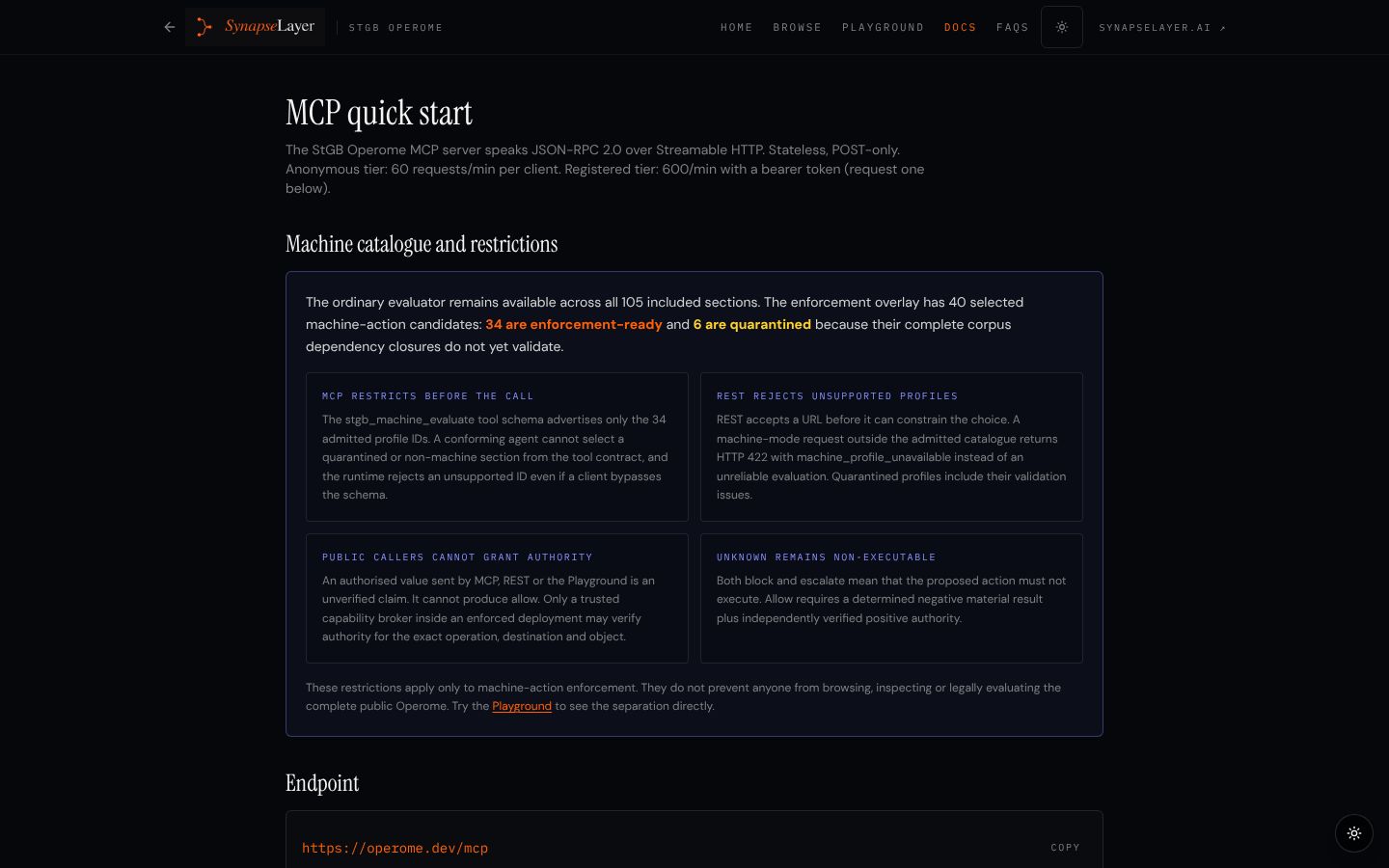
Gives your assistant the German Criminal Code as rules it can read and evaluate, with the same answer for the same facts every time.
Free trialfDesk Trial
Lets you register for an fDesk trial from your AI assistant and generate a draft prospectus or information memorandum for a company, at no cost.
For fDesk clientsfDesk Client
Lets fDesk clients run their capital-markets transactions from their AI assistant, from the questionnaire to the approved, shared documents.
Built, not yet liveSynapseLayer for agents
Lets any AI agent read this website, search it, get the facts with their sources, and find how to reach a person.
StGB Operome
Gives your assistant the German Criminal Code as rules it can read and evaluate, with the same answer for the same facts every time.
- For
- Anyone. Lawyers, compliance teams and engineers testing the method on public law.
- Sign-in
- None
- Address
-
https://operome.dev/mcp - Access
- Public. No sign-in and no key.
Tools
stgb_list_sectionsList the sections of the code, optionally by chapter.stgb_get_sectionRead one section in full: the statutory text and its rules.stgb_get_schemaThe facts a section needs, typed, each true, false or unknown.stgb_evaluateEvaluate a set of facts against a section and return the verdict with its clauses.stgb_machine_evaluateCheck an action an AI proposes, fail-closed: nothing is allowed without positive authorisation.stgb_master_ruleEvaluate the master rule, with self-defence, necessity and consent applied as exceptions.stgb_searchSearch the sections in English or German.
Find the fraud section in the StGB Operome, list the facts it needs, and evaluate it with deception true and financial loss unknown.
{
  "mcpServers": {
    "stgb-operome": {
      "url": "https://operome.dev/mcp"
    }
  }
}
StGB Operome: 105 sections, 1,381 rules, 3,033 test cases, Apache-2.0. The same input always gives the same output. A research and engineering tool, not legal advice.
fDesk Trial
Lets you register for an fDesk trial from your AI assistant and generate a draft prospectus or information memorandum for a company, at no cost.
- For
- Companies and advisers who want to see fDesk draft a capital-markets document before they talk to anyone.
- Sign-in
- You sign in when you first connect. The first sign-in creates your trial account with your name, email, position and company.
- Address
-
https://api.fdesk.tech/functions/v1/mcp-trial - Access
- Free. Your first sign-in creates the trial account. The same trial runs in the browser at fdesk.tech/trial.
What it can do
- Trial account Sign in and create a trial account with your name, email, position and company.
- Draft document Generate a draft prospectus or information memorandum for a company.
Sign me up for the fDesk trial and draft an information memorandum for our company.
{
  "mcpServers": {
    "fdesk-trial": {
      "url": "https://api.fdesk.tech/functions/v1/mcp-trial"
    }
  }
}fDesk Client
Lets fDesk clients run their capital-markets transactions from their AI assistant, from the questionnaire to the approved, shared documents.
- For
- fDesk clients and their teams: issuers, arrangers and their advisers.
- Sign-in
- You sign in with your fDesk account. Your fDesk administrator issues and revokes agent keys, with a person's approval.
- Address
-
https://api.fdesk.tech/functions/v1/mcp - Access
- For existing fDesk clients. Sign in with your fDesk account; without one, start with the trial.
What it can do
- Account and profile Your user and company profile, onboarding status and organisations.
- Transactions Create, copy, list, inspect and close out transactions.
- Questionnaires Fetch a section, submit answers and validate. The questions change with the answers.
- Documents and prospectuses Generate, follow the status, download and share.
- Data rooms Create data rooms and add documents.
- GLEIF and LEI Search the LEI register and enrich company data.
- PDF extraction Read an existing PDF and prefill the questionnaire from it.
- Versions List and compare versions.
- Approvals Approval workflows and their status.
- Marketplace The deal book, indications of interest, investor registration and verification.
- Dashboard Upcoming maturities and a summary dashboard.
- Agent keys Administrators create, approve, suspend and revoke the keys agents use.
List my open transactions, validate the questionnaire of the newest one and tell me what is still missing before we generate the prospectus.
{
  "mcpServers": {
    "fdesk-client": {
      "url": "https://api.fdesk.tech/functions/v1/mcp"
    }
  }
}fDesk is the production system behind our figures: 100,068 validations at 99.98% accuracy with 0 compliance violations. Figures from fDesk's production system, November 2026.
SynapseLayer for agents
Lets any AI agent read this website, search it, get the facts with their sources, and find how to reach a person.
- For
- Any AI agent or assistant that wants to know what SynapseLayer does, and anyone who sends one.
- Sign-in
- None
- Address
- Not live yet. Planned address:
https://qytqhsvcjrszaksadibj.supabase.co/functions/v1/synapselayer-mcp - Access
- Built and tested, not yet deployed. It will answer at the planned address once it is.
Tools
aboutWhat SynapseLayer does, the products, the figures and their sources.list_pagesEvery page of synapselayer.ai with its title and summary.read_pageThe text of one page, by its path.searchSearch the pages, articles, films and servers.list_articlesThe Insights articles with date, tags and summary.read_articleThe full text of one article.list_filmsThe films and case films, with links.list_mcp_serversThese four servers, their status and how to connect.how_to_contactEmail, telephone, booking, the chat and the voice assistant.
Ask SynapseLayer what an operome is, what operomisation costs and where each figure comes from.
{
  "mcpServers": {
    "synapselayer": {
      "url": "https://qytqhsvcjrszaksadibj.supabase.co/functions/v1/synapselayer-mcp"
    }
  }
}
The snippet uses the planned address; it answers once the server is deployed.
It reads what this website says, from the same facts register: every page, every article, the films, the figures with their sources and these servers. It only reads: it sends nothing and changes nothing.
How to connect
Assistants with a connectors setting
Add a custom connector and paste the server's address. A server that needs a sign-in opens it in your browser the first time you use it.
Assistants and developer tools set up by file
Add the config snippet to the assistant's MCP configuration. Its documentation names the file; some expect a slightly different shape, for example a type field set to http.
Check it works
Ask the assistant which tools it now has from the server, then try the example prompt.
All four servers use Streamable HTTP, the MCP transport for servers on the internet. If your organisation manages the assistant centrally, an administrator may have to add the connector for you.
The assistant proposes, the rules decide
An assistant can only call the tools a server offers. On the StGB Operome every answer is computed from the rules, the same facts always give the same answer, and a machine action is allowed only with positive authorisation. On fDesk your sign-in decides what the assistant can see and do, and your administrator approves the keys agents use. The server for this website only reads.
For agents
Agents that read rather than connect find this site summarised in llms.txt, and every page carries its facts as structured data. People reach us at hello@synapselayer.ai or through Talk.